DigitalOneDesign
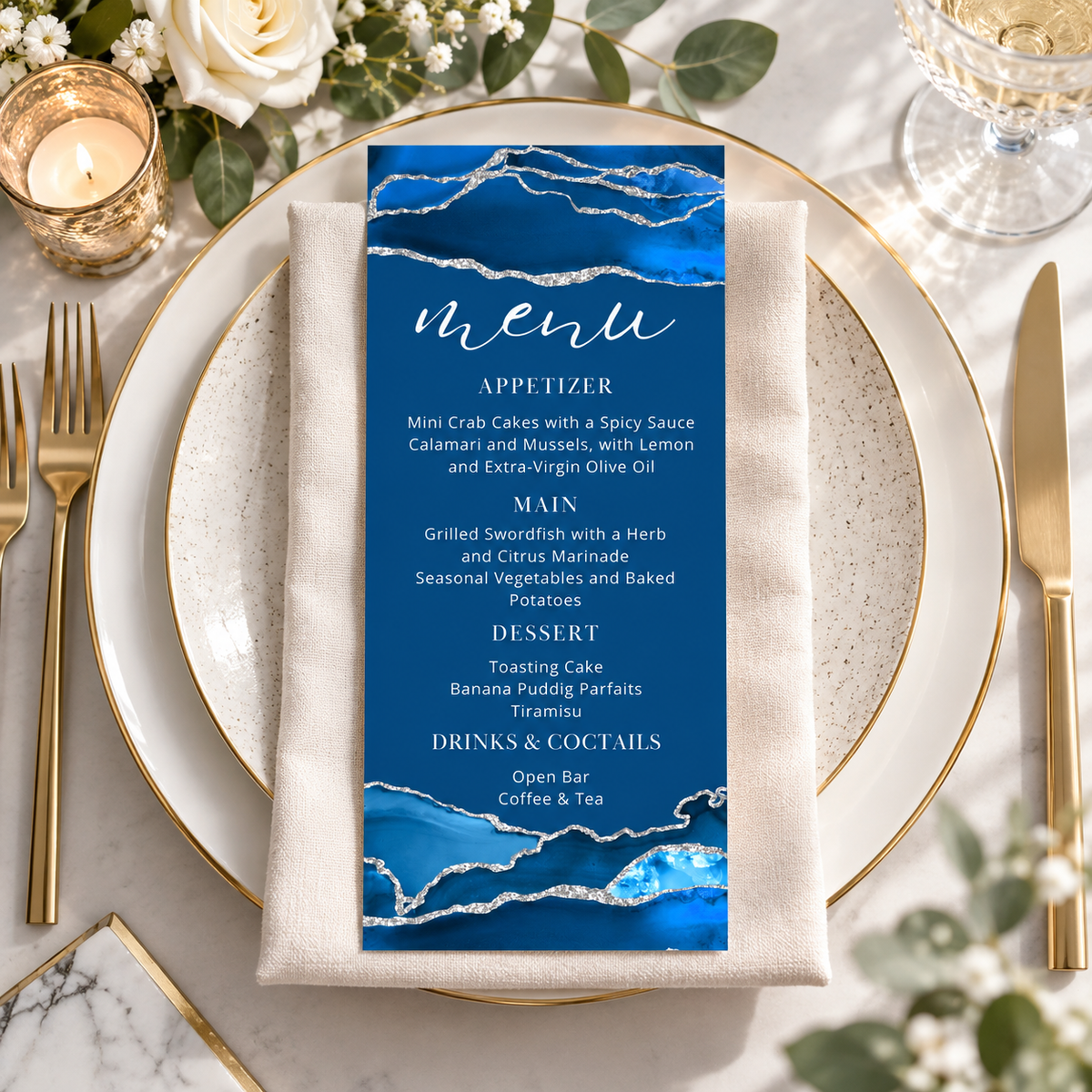
Elegant Royal Blue and silver Dinner Menu Card Template
Elegant Royal Blue and silver Dinner Menu Card Template
Couldn't load pickup availability
- Secure Checkout
- Visa & Mastercard
- PayPal & Apple Pay
Share
Elegant Royal Blue and silver Dinner Menu Card Template
Elevate your celebration with this Navy Blue and Silver Editable Menu Card Template, featuring elegant blue watercolor accents with shimmering silver-style details for a sophisticated, modern look. Perfect for graduation parties, milestone birthdays, weddings, bridal showers, dinner parties, and formal celebrations. Easily personalize the menu text in Canva, then download and print for a polished table setting. This 4 x 9 inch printable menu card is an instant digital download, making it easy to create beautiful event decor in minutes.
What’s Included
- Instant download: PDF file with direct access link to edit your template in Canva.
- Invitation design size: 4 x 9 inches
- Download your finished design in JPG, PNG, or PDF format (with optional crop marks and bleed for print).
You can edit
- Customize text content: names, event details, and more.
- Change font colors and styles.
- Move, resize, or delete text boxes.
- Upload and insert your own images or photos.
Cannot edit
- Graphics and illustrations are locked and cannot be modified.
- Background images are flattened and cannot be changed.
- Template size and layout are fixed. For custom sizes, please contact us before purchasing.
How It Works
No software needed – just a free Canva account!
1. Purchase & Download
- After purchase, you'll receive an email with a PDF file.
- Open the file and click the Canva link to access your template.
2. Edit Your Design Online
- Edit directly in your browser using Canva on desktop, laptop, tablet, or phone.
- No downloads or additional programs required.
3. Save & Share or Print
- Export your file as:
• JPG/PNG – great for email or social sharing.
• PDF – best for professional printing.
- Option to include crop marks and bleed.
Printing Tips
- Download your design as a high-quality PDF for printing.
- Choose the “save paper” option to print multiple cards per sheet.
- Use white cardstock or thicker paper for best results.
- Print at home or through services like:
Vistaprint, Staples, Office Depot, FedEx, GotPrint, Print of Love, and more.
Important Information
- Digital product only – no physical items will be shipped.
- For personal or limited business use only.
- Resale, redistribution, or file sharing is not permitted.
Have a question or need help? I’m here to support you!
Thank you for visiting my shop.