DigitalOneDesign
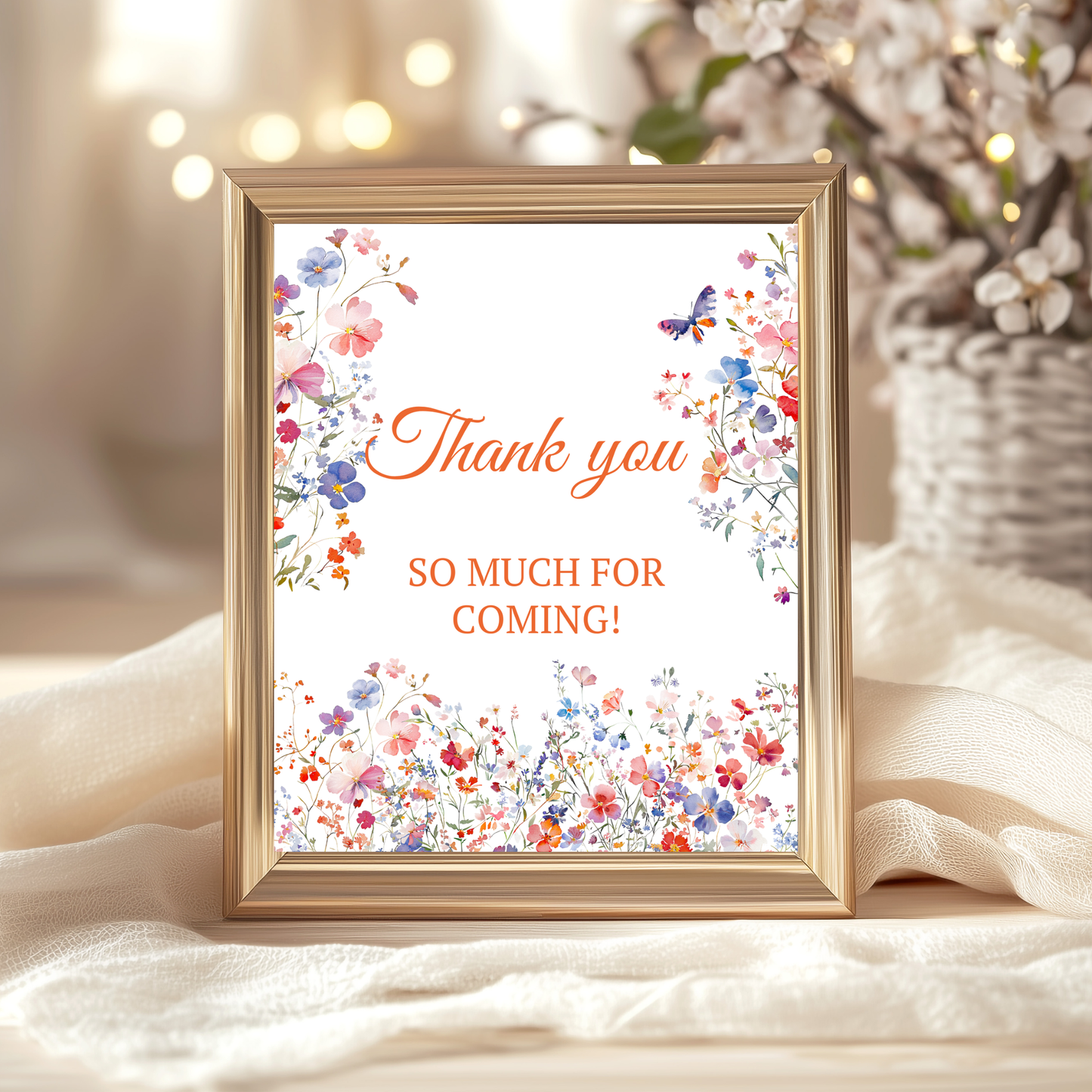
Editable Elegant Colorful Wildflower Event Sign
Editable Elegant Colorful Wildflower Event Sign
Couldn't load pickup availability
- Secure Checkout
- Visa & Mastercard
- PayPal & Apple Pay
Share
Editable Elegant Colorful Wildflower Event Sign | Mother’s Day Brunch, Baby Shower & Bridal Shower Table Decor | Canva Template
Create a beautiful and meaningful celebration with this Editable Elegant Wildflower Event Sign, designed for Mother’s Day brunches and versatile enough for baby showers, bridal showers, brunches, and dinner events. Featuring delicate wildflowers and a timeless floral aesthetic, this sign adds an elegant touch to any table setting.
This table decoration sign for brunch or dinner is fully editable in Canva, allowing you to easily personalize text, fonts, and details to match your event. Perfect for use as a centerpiece accent, buffet sign, or welcome table décor, it blends seamlessly with garden parties, tea parties, and spring celebrations.
What’s Included
- Instant download: PDF file with direct access link to edit your template in Canva.
- Invitation design size: 8 x 10 inches (portrait orientation).
- Download your finished design in JPG, PNG, or PDF format (with optional crop marks and bleed for print).
You can edit
- Customize text content: names, event details, and more.
- Change font colors and styles.
- Move, resize, or delete text boxes.
- Upload and insert your own images or photos.
Cannot edit
- Graphics and illustrations are locked and cannot be modified.
- Background images are flattened and cannot be changed.
- Template size and layout are fixed. For custom sizes, please contact us before purchasing.
How It Works
No software needed – just a free Canva account!
1. Purchase & Download
- After purchase, you'll receive an email with a PDF file.
- Open the file and click the Canva link to access your template.
2. Edit Your Design Online
- Edit directly in your browser using Canva on desktop, laptop, tablet, or phone.
- No downloads or additional programs required.
3. Save & Share or Print
- Export your file as:
• JPG/PNG – great for email or social sharing.
• PDF – best for professional printing.
- Option to include crop marks and bleed.
Printing Tips
- Download your design as a high-quality PDF for printing.
- Choose the “save paper” option to print multiple cards per sheet.
- Use white cardstock or thicker paper for best results.
- Print at home or through services like:
Vistaprint, Staples, Office Depot, FedEx, GotPrint, Print of Love, and more.
Important Information
- Digital product only – no physical items will be shipped.
- For personal or limited business use only.
- Resale, redistribution, or file sharing is not permitted.
Have a question or need help? I’m here to support you!
Thank you for visiting my shop.